

Download Class 4 Computers Practice Worksheets
Review targeted academic worksheets with the CBSE Class 4 Computers Basics of Computer Worksheet. Built according to official educational standards for the 2026-27 term, these downloadable Class 4 Computers resources support effective daily practice and detailed self-evaluation for Basics of Computer.
Access Basics of Computer Practice Papers and Solutions
View or download the dedicated CBSE Class 4 Computers Basics of Computer Worksheet resource below. Engaging with these practice papers under focused study conditions ensures continuous academic progress and mastery of the 2026-27 curriculum for Basics of Computer.
A computer is an electronic machine. It works on electricity.
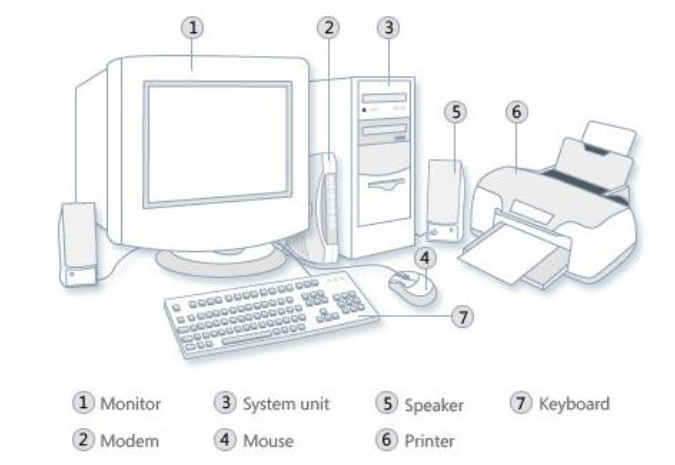
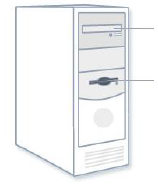

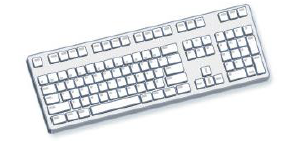


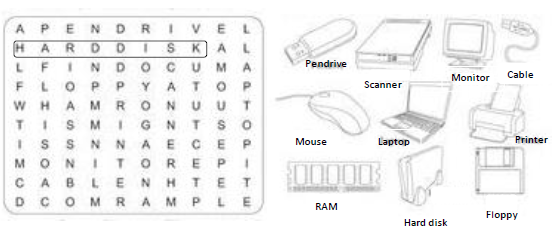

Collect the information of the following devices:
a. Monitor
b. Mouse
c. Keyboard
d. C.P.U
e. Speaker
f. Scanner
g. Pen Drive
h. Web Camera
i. Joy stick
j. Printer
k. Light Pen
l. DVD
Q.A - Fill in the blanks:
Q.1. The full form of ROM is _Read Only Memory_.
Q.2. The full form of RAM is _Random Access Memory_.
Q.3. The full form of CD is _Compact Disk_.
Q.4. The full form of DVD is _Digitl Video Disk_.
Q.5. The full form of USB is _Universal Serial Bus_.
Q.6. The full form of GB is _Giga Byte_.
Q.B- Multiple Choice Questions:
Q.1. 1024 Kilobytes equal to
(A) 1 MB
Q.2. 1 GB is equal to
(B) 1024 MB
Q.3. TB stands for ________.
(B) Terabyte
Q.4. Computer memory is of two types primary memory and __________
(A) Secondary memory
CBSE Class 4 Computers Worksheets for Basics of Computer
Practice Exercises for Class 4 Computers Basics of Computer
Explore reliable practice questions for Basics of Computer tailored for Class 4 Computers learners. Use these structured worksheets to evaluate exam preparedness and strengthen problem-solving skills throughout the 2026 academic session.
Step-by-Step Solutions and Practice Guidelines
Designed around the official curriculum for Class 4 Computers, these practice sheets guarantee standard compliance. Reviewing step-by-step solutions after completion sharpens your accuracy and clarifies complex sub-topics within Basics of Computer.
Enhance Speed with Online Practice
Follow up your worksheet practice by attempting the interactive online MCQ tests for Basics of Computer to evaluate your execution speed. All printable assignments and revision sheets on our platform are updated for the 2026 session and available free of charge.
FAQs
You can download the latest chapter-wise printable worksheets for Class 4 Computers Basics of Computer for free from StudiesToday.com. These have been made as per the latest CBSE curriculum for this academic year.
Yes, Class 4 Computers worksheets for Basics of Computer focus on activity-based learning and also competency-style questions. This helps students to apply theoretical knowledge to practical scenarios.
Yes, we have provided solved worksheets for Class 4 Computers Basics of Computer to help students verify their answers instantly.
Yes, our Class 4 Computers test sheets are mobile-friendly PDFs and can be printed by teachers for classroom.
For Basics of Computer, regular practice with our worksheets will improve question-handling speed and help students understand all technical terms and diagrams.