

Download Class 3 Computers Concept Summaries: CBSE Class 3 Computer Science Fun With Paint Brush Notes
Access comprehensive revision notes for Fun With Paint Brush using the CBSE Class 3 Computer Science Fun With Paint Brush Notes. Designed to align with the 2026-27 academic syllabus for Class 3 Computers, these concept summaries help students streamline their exam preparation and review complex topics efficiently.
Access Fun With Paint Brush Notes and Study Material
Access the complete concept summary PDF for Fun With Paint Brush below. Regular review of these targeted notes builds familiarity with complex Class 3 Computers themes and helps secure higher marks in final school evaluations.


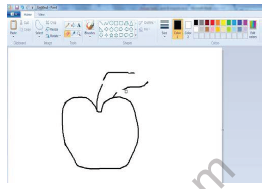
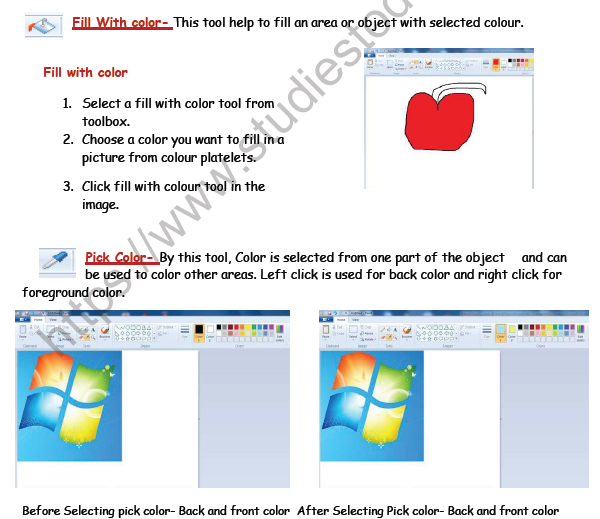
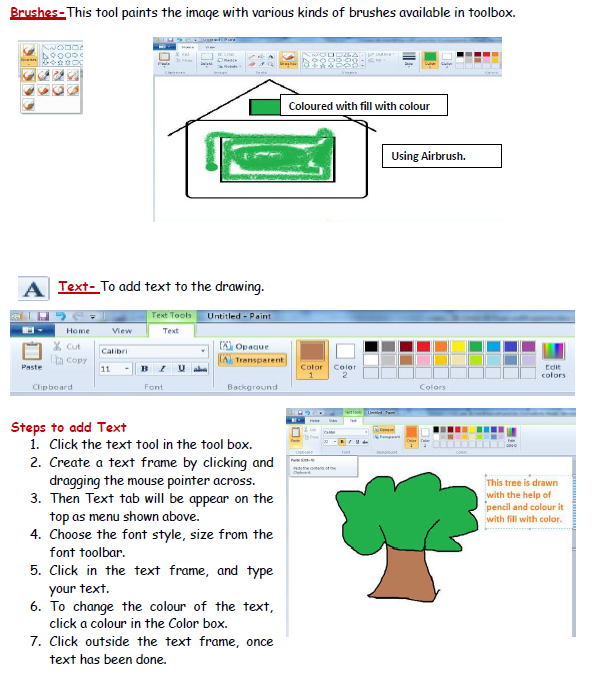
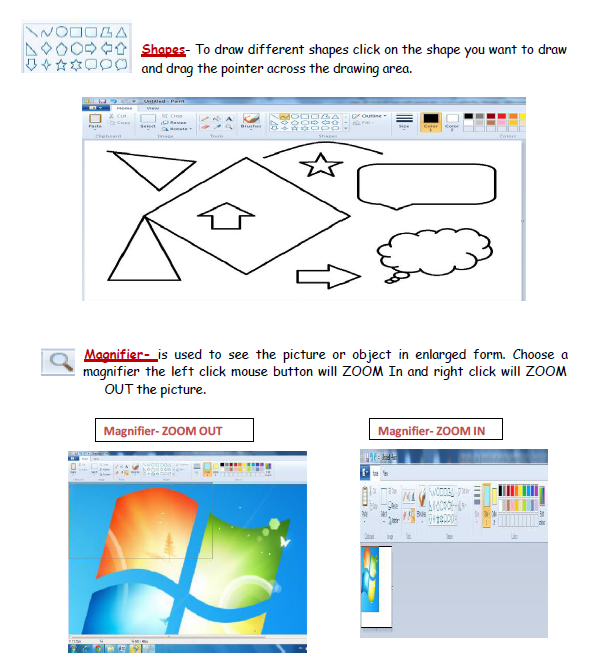
3. Name different options available on the text menu.
4. What is difference between paint brush and Air brush.
TYPE-II (Fill in the blanks)
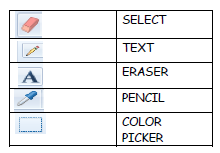
1. ________is used to fill an area with color.
2. ________enlarges or reduces the picture.
3. ________is used to erase part of the picture.
4. ________is used like paint spray.
Lab Session
1. Draw the picture in Ms-Paint

2. Design one colored scenery with some text message.
3. Draw a rainy scene and describe in five lines.
Fun With Paint Brush Concepts and Summary for Class 3 Computers
Quick Revision Notes: Fun With Paint Brush (CBSE)
Explore reliable chapter overviews for Fun With Paint Brush tailored for Class 3 learners. Use these structured points to grasp difficult themes and ensure solid preparation for upcoming assessments.
Expert Study Material for Class 3 Computers
Each chapter summary is structured around standard CBSE textbooks, allowing students to check their understanding and clarify complex ideas early in their revision.
Complete Your Chapter Revision
Explore our broader library of printable assignments, chapter notes, and mock tests designed to support continuous revision and secure higher marks in CBSE assessments.
FAQs
You can download the teacher prepared revision notes for CBSE Class 3 Computer Science Fun With Paint Brush Notes from StudiesToday.com. These notes are designed as per 2026-27 academic session to help Class 3 students get the best study material for Computers.
Yes, our CBSE Class 3 Computer Science Fun With Paint Brush Notes include 50% competency-based questions with focus on core logic, keyword definitions, and the practical application of Computers principles which is important for getting more marks in 2026 CBSE exams.
Yes, our CBSE Class 3 Computer Science Fun With Paint Brush Notes provide a detailed, topic wise breakdown of the chapter. Fundamental definitions, complex numerical formulas and all topics of CBSE syllabus in Class 3 is covered.
These notes for Computers are organized into bullet points and easy-to-read charts. By using CBSE Class 3 Computer Science Fun With Paint Brush Notes, Class 3 students fast revise formulas, key definitions before the exams.
No, all study resources on StudiesToday, including CBSE Class 3 Computer Science Fun With Paint Brush Notes, are available for immediate free download. Class 3 Computers study material is available in PDF and can be downloaded on mobile.