

Computers Concept Notes for Class 5: Internet
Access comprehensive revision notes for Internet using the CBSE Class 5 Computer Science Internet Notes. Designed to align with the 2026-27 academic syllabus for Class 5 Computers, these concept summaries help students streamline their exam preparation and review complex topics efficiently.
Download Internet Revision Notes PDF
Access the complete concept summary PDF for Internet below. Regular review of these targeted notes builds familiarity with complex Class 5 Computers themes and helps secure higher marks in final school evaluations.

• A number of search tools have been developed and available to you on certain Web sites that provide search services to help you to find information.
• Examples:
⇒ Google →www.google.com
⇒Yahoo →www.yahoo.com
⇒ Ask.com →www.ask.com
⇒ AltaVista →www.altavista.com
MSN WebSearch →www.search.msn.com
You can find information by two basic means.
• Search by Topic and Search by keywords.
⇒ Search by Topic
You can navigate through topic lists
⇒ Search by keywords
You can navigate by entering a keyword or phase into a search text box.
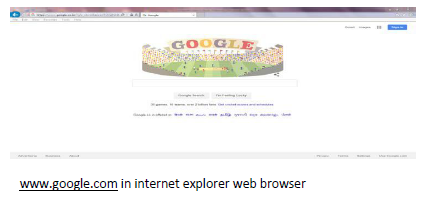
Exploring the different websites:- After knowing information about the internet. Now you can open any website and get the desired information from the website.
Opening a website requires internet connection in your computer.
Steps to open any website:-
1. Open any web browser installed on your computer example Internet Explorer, Google crome, Mozilla Firefox etc.
2. Type the website address in URL space or if you don’t know the website name then you can open any search engine and then find the address from i
There are several websites that helps you to get information from the internet. Let try some important websites
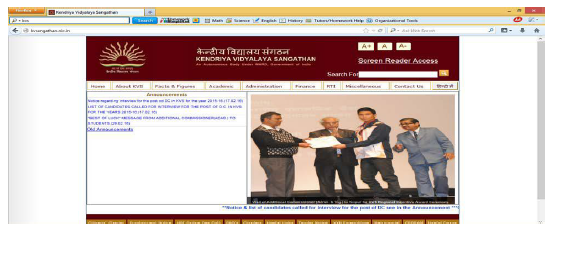
KVS Website:- KVS HQ NEW DELHI website is the important website of the Kendriya Vidyalaya Sangathan which provide lots of information about the KVS like Important announcements, Management information, Organization Chart, different circulars, admission, Fees, transfer, result analysis, PIS(Personal Information System),Recruitments, Finance, RTI(Right to Information),Contacts etc..
To open KVS hq new delhi website, you have to type the URL http://kvsangathan.nic.in/ directly on web browser or you can found the web address of KVS website by searching keyword ”KVS” in www.google.com
Then you can open the different web links available in the website to get the desired information.
6Vidyalaya’s Website:-
Same like KVS HQ website, you can open your vidyalaya website also. Vidyalaya website consist many information about your vidyalaya like: Important announcements, Exams information, Date Sheet, Result Analysis, Staff details, TC information, Contacts, VMC details, Students Enrollments, Students/Teachers achievers, Alumni, Photo Galley, Admission, Fee information etc. Ask your teacher about the web address of your Vidyalaya and open it. Open the different web pages of the website to get the desired information.
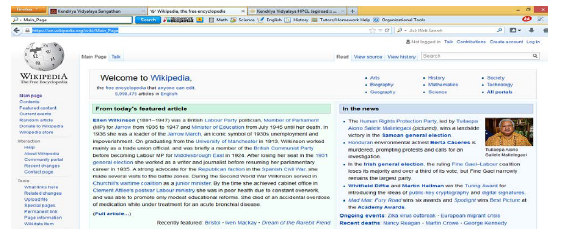
Wikipedia: - Wikipedia is a free encyclopedia, written collaboratively by the people who use it. It is a special type of website designed to make collaboration easy, called a wiki.
You can open the Wikipedia by the web address https://en.wikipedia.org/wiki/Main_Page
In Wikipedia, you can search for anything for which you required information.
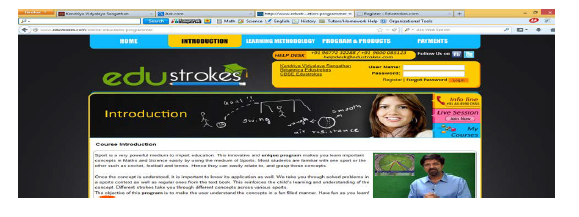
Edustrokes:- edustrokes is an educational website which provide interactive study material for Science and Mathematics. This is an innovative and unique program makes you learn important concepts in Mathematics and Science easily by using the medium of Sports.
You can open the following web links to use the content of edustrokes website:-

Assignment:-
⇒ Open educational websites and copy paragraphs in their PowerPoint Presentation.
Please click the link below to download pdf file for Class-5-Computer-Science-Internet-Notes.pdf
Revision Notes and Key Concepts for Class 5 Computers Internet
Key Concepts and Summary for Class 5 Computers Internet
Access structured revision notes for Internet designed in alignment with the latest CBSE curriculum for Class 5 Computers. These summaries help clarify core themes and support effective daily study.
NCERT-Aligned Chapter Summary and Notes
Built using the official NCERT book for Class 5 Computers, these notes provide reliable academic guidance. Pair your summary review with our recommended NCERT solutions to master optimal problem-solving approaches.
Next Steps in Your Exam Preparation
Wrap up your chapter revision by testing your knowledge against standard question formats. Everything on our platform is provided free of charge.
FAQs
You can download the teacher prepared revision notes for CBSE Class 5 Computer Science Internet Notes from StudiesToday.com. These notes are designed as per 2026-27 academic session to help Class 5 students get the best study material for Computers.
Yes, our CBSE Class 5 Computer Science Internet Notes include 50% competency-based questions with focus on core logic, keyword definitions, and the practical application of Computers principles which is important for getting more marks in 2026 CBSE exams.
Yes, our CBSE Class 5 Computer Science Internet Notes provide a detailed, topic wise breakdown of the chapter. Fundamental definitions, complex numerical formulas and all topics of CBSE syllabus in Class 5 is covered.
These notes for Computers are organized into bullet points and easy-to-read charts. By using CBSE Class 5 Computer Science Internet Notes, Class 5 students fast revise formulas, key definitions before the exams.
No, all study resources on StudiesToday, including CBSE Class 5 Computer Science Internet Notes, are available for immediate free download. Class 5 Computers study material is available in PDF and can be downloaded on mobile.