

Chapter-wise Worksheets for Class 2 Computer: Uses of Computers
Access comprehensive chapter-wise worksheets for Uses of Computers using the CBSE Class 2 Computers Uses of Computers Worksheet. Designed to align with the 2026-27 academic syllabus for Class 2 Computer, these printable practice sets help students reinforce key concepts and improve their overall exam readiness.
Practice Class 2 Computer Worksheets: Uses of Computers
Navigate directly to the solved Computer worksheets using the digital viewer below. Each practice set includes detailed step-by-step solutions, allowing students to instantly cross-check their work and identify areas requiring further revision.
Class - 2
Topic – Uses of Computers
Subject - Computer
Fill in the blanks :
Question. A computer helps to withdraw money from ______ .
Answer : ATM
Question. A computer helps to read ______ in the library.
Answer : E-books
Question. Computers help doctors in diagnosing many ______ .
Answer : diseases
Question. Computers help you to communicate with outside world using the ______ .
Answer : Internet
Question. Shopkeepers use computer to make ______ .
Answer : Bills
True/False :
Question. Scientists use computers for designing buildings.
Answer : False
Question. Computer assists in reservation of tickets.
Answer : True
Question. Computers do not assist in the school library.
Answer : False
Question. A computer using robotic arms helps a doctor in doing the operation.
Answer : True
Question. Computers do not assist at shop.
Answer : False
Write full form of the following abbreviations :
Question. USB
Answer : Universal Serial Bus
Question. VDU
Answer : Visual Display Unit
Question. ATM
Answer : Automated Teller Machine
Question. CPU
Answer : Central Processing Unit
Define the following terms :
Question. ATM
Answer : An advanced machine that enables us to withdraw money through it.
Question. Device
Answer : It is equipment that has been designed to do a particular job.
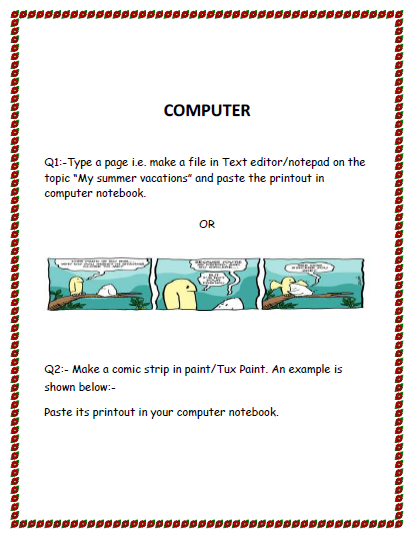
Answer the following questions-:
a. Define tux paint.
Answer : it is a paint program designed for children. It has many readymade tools which help to make beautiful drawings.
(Book)
a. how will you open tux paint program?
Answer : Following are the steps to open tux paint programi) step 1- click on the start button
ii) step 2- choose all programs.
iii) Step 3- select tux paint.
iv) Step 4- choose tux paint (full screen option).
Q1. Write true or false:-
a. Monitor do all the thinking and work for computer.
Answer: False
b. Mouse is used to draw and paint.
Answer: True
c. Computer that can be kept on lap is called desktop.
Answer: False
d. Compact disc is used to store information.
Answer: True
e. We use computer in homes to listen to music and play games.
Answer: True
f. Full form of CPU is conditional processing unit.
Answer: False
Q2. Fill in the blanks-:
a. The __Speakers_________ are use to listen to music .
b. Printer is used to take _print________ outs on paper.
c. Computer is used in banks to keep record of ____money__.
d. _____keyboard__________ has many keys on it.
e. A computer needs ____electricity_________ to work
f. A computer does not ____work_______ on it’s own .
How does a computer work
Answer the following questions-:
Question. Mention the three step process on which a computer work?
Answer: The three step process on which computer work is Input → Process → Output
Question. Which part of computer works on data to give the output?
Answer: CPU works on data to give the output.
Question. Name the term used for final result which we get after processing?
Answer: Output is the final result which we get after processing.
Question. Which part of a computer displays the output?
Answer: Monitor displays the output.
Question. Which device is used to enter data into the computer?
Answer: keyboard is used to enter data into a computer.
Q1. Match the parts of a computer with their functions:-
a. Monitor 1) Helps the computer to think
b. Keyboard 2) Shows the text typed on a computer
c. CPU 3) Help us to type the text.
d. Mouse 4) Helps us to hear the sound
e. Microphone 5) Select an item on screen.
f. Printer 6) Store the information.
g. Compact disc 7) Print the text on paper
Q2. Answer the following in one word:-
a. What is the full form of CD?
Ans : ___________________
b. Which part of computer has many buttons?
Ans : ___________________
c. Which part of computer rhymes with house ?
Ans : ___________________
d. Which part of computer looks like TV screen?
Ans : ___________________
CBSE Class 2 Computer Worksheets for Uses of Computers
Daily Practice Questions for Class 2 Computer
Access structured practice worksheets for Uses of Computers aligned with the 2026 CBSE curriculum. These downloadable exercises for Class 2 Computer help students build accuracy and reinforce core concepts for upcoming school tests.
Detailed Answers for Class 2 Computer Uses of Computers
Designed around the official curriculum for Class 2 Computer, these practice sheets guarantee standard compliance. Reviewing step-by-step solutions after completion sharpens your accuracy and clarifies complex sub-topics within Uses of Computers.
Complete Your Chapter Revision
Follow up your worksheet practice by attempting the interactive online MCQ tests for Uses of Computers to evaluate your execution speed. All printable assignments and revision sheets on our platform are updated for the 2026 session and available free of charge.
FAQs
You can download the latest chapter-wise printable worksheets for Class 2 Computer Uses of Computers for free from StudiesToday.com. These have been made as per the latest CBSE curriculum for this academic year.
Yes, Class 2 Computer worksheets for Uses of Computers focus on activity-based learning and also competency-style questions. This helps students to apply theoretical knowledge to practical scenarios.
Yes, we have provided solved worksheets for Class 2 Computer Uses of Computers to help students verify their answers instantly.
Yes, our Class 2 Computer test sheets are mobile-friendly PDFs and can be printed by teachers for classroom.
For Uses of Computers, regular practice with our worksheets will improve question-handling speed and help students understand all technical terms and diagrams.