

Class 2 Computer Practice Sheet: CBSE Class 2 Computers Handling a Mouse Worksheet
Explore structured practice materials through the CBSE Class 2 Computers Handling a Mouse Worksheet. Tailored for Class 2 learners, utilizing these Computer worksheets ensures thorough preparation and strengthens problem-solving accuracy before final school evaluations.
Download Handling a Mouse Worksheet PDF with Answers
Navigate directly to the solved Computer worksheets using the digital viewer below. Each practice set includes detailed step-by-step solutions, allowing students to instantly cross-check their work and identify areas requiring further revision.
Handling a Mouse
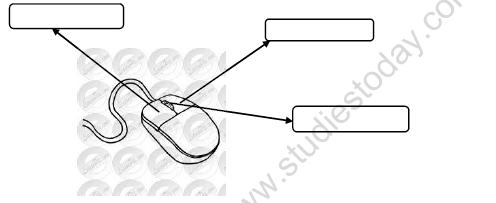
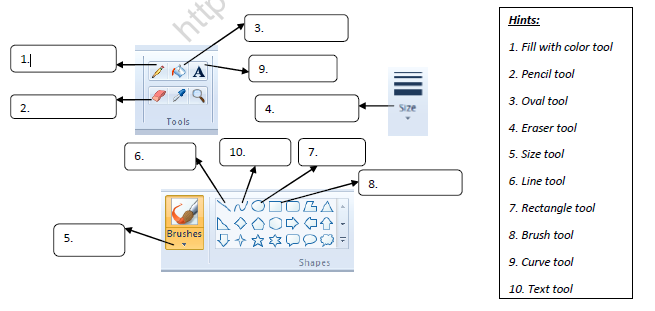
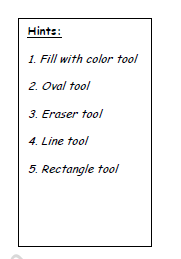
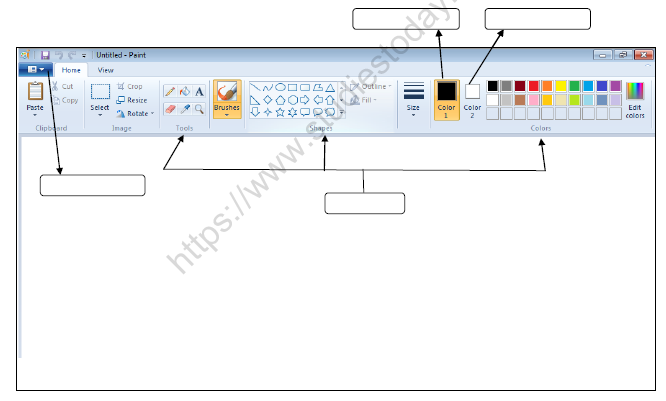
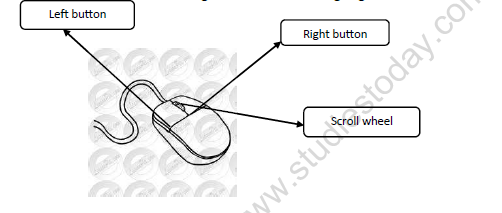
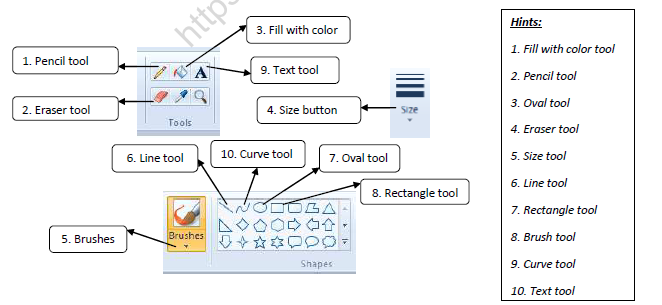


question and answers-:
a. Name the main parts of computer.
Ans : The main parts of computer are monitor , CPU , Keyboard and mouse.
b. Which part of computer is used to paint and select an object ?
Ans : A mouse is used to paint and select an object.
c. Which part of computer is known as the brain of computer?
Ans: CPU is known as the brain of computer.
d. Which part of a computer looks like a T.V ?
Ans : A monitor looks like a T.V.
How does a computer work
a. Input –
The data and instructions that we enter into the computer are called input. We input data using a keyboard and mouse.
b. Process –
Working on data is called processing . The CPU works on data and does all the thinking and calculations.
c. Output
Output means the final result that we get when the CPU finishes processing the data .
The output is displayed on the monitor.
Q1. : Fill in the blanks :-
a. Mouse help us to ______________ pictures on the computer screen.
b. A ____________ contains tools arranged in different groups.
Q2. Write True or False :
a. A text tool is used to draw lines . _________
b. An optical mouse uses light instead of ball. _________
Q3. Answer the following questions-:
a. Where do we attach the tail of the mouse.
Ans ___________________________________________________________
b. Which button shows the background colour?
Ans ___________________________________________________________
Q4. Match the following :
a. Text tool i) Press the right mouse button
b. Pointer ii) Used to add text
c. right click iii) An arrow
Q5. Draw the following-:
a. Mouse
b. Pencil tool
Q1. Match the parts of a computer with their functions:-
a. Monitor c1) Helps the computer to think
b. Keyboard a2) Shows the text typed on a computer
c. CPU b3) Help us to type the text.
d. Mouse e 4) Helps us to hear the sound
e. Microphone d 5) Select an item on screen.
f. Printer g 6) Store the information.
g. Compact disc f 7) Print the text on paper
Q2. Answer the following in one word:-
a. What is the full form of CD?
Ans : ___compact disc________________
b. Which part of computer has many buttons?
Ans : ____keyboard_______________
c. Which part of computer rhymes with house ?
Ans : _____mouse ______________
d. Which part of computer looks like TV screen?
Ans : ______monitor_____________
Handling a mouse
Q1. Fill in the blanks-:
a. A mouse helps us to __________ pictures on the computer screen.
b. To select an item , the __________ button is pressed once.
c. The slant arrow on the screen is called a ____________ .
d. The left mouse button is pressed ____________ for double clicking.
e. The ___________ helps us to move a page up and down .
Q2. Write True or False-:
a. The pointer always move towards the right side of the screen. ______
b. Clicking the left mouse button opens an item. ______
c. We move the mouse on a mouse pad. ______
d. Clicking the right mouse button will show the list of commands .
CBSE Class 2 Computer Worksheets for Handling a Mouse
Mastering Handling a Mouse with Printable Worksheets
Access structured practice worksheets for Handling a Mouse aligned with the 2026 CBSE curriculum. These downloadable exercises for Class 2 Computer help students build accuracy and reinforce core concepts for upcoming school tests.
Verified Solutions and NCERT Alignment
Designed around the official curriculum for Class 2 Computer, these practice sheets guarantee standard compliance. Reviewing step-by-step solutions after completion sharpens your accuracy and clarifies complex sub-topics within Handling a Mouse.
Additional Study Resources for Class 2 Computer
Consistent engagement with these exercises builds familiarity with recurring exam themes. If specific areas within Handling a Mouse cause trouble, utilize our dedicated NCERT solutions for Class 2 Computer to clear up doubts immediately.
FAQs
You can download the latest chapter-wise printable worksheets for Class 2 Computer Handling a Mouse for free from StudiesToday.com. These have been made as per the latest CBSE curriculum for this academic year.
Yes, Class 2 Computer worksheets for Handling a Mouse focus on activity-based learning and also competency-style questions. This helps students to apply theoretical knowledge to practical scenarios.
Yes, we have provided solved worksheets for Class 2 Computer Handling a Mouse to help students verify their answers instantly.
Yes, our Class 2 Computer test sheets are mobile-friendly PDFs and can be printed by teachers for classroom.
For Handling a Mouse, regular practice with our worksheets will improve question-handling speed and help students understand all technical terms and diagrams.